The portfolio, building by building
A portfolio this size is only useful if you can move through it quickly. Properties and Units are built like the rest of the platform — filter, group, sort, save the view you use — and every row opens into a record with its occupancy, availability and money at a glance.
Recorded in the live product at 1280 × 800 against the seeded portfolio — unedited.
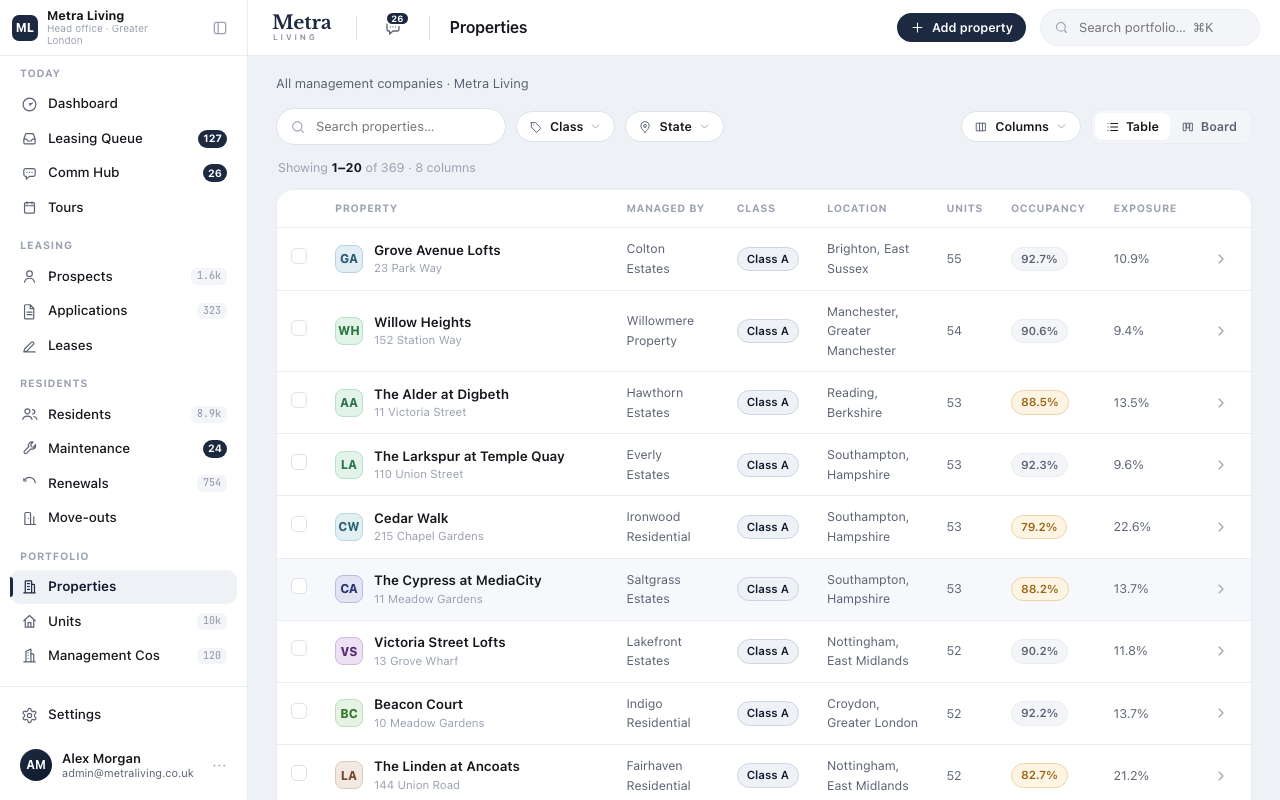
Every building in one table
Filter by class, region or operator; group by whatever the question is. The columns you choose stay chosen.
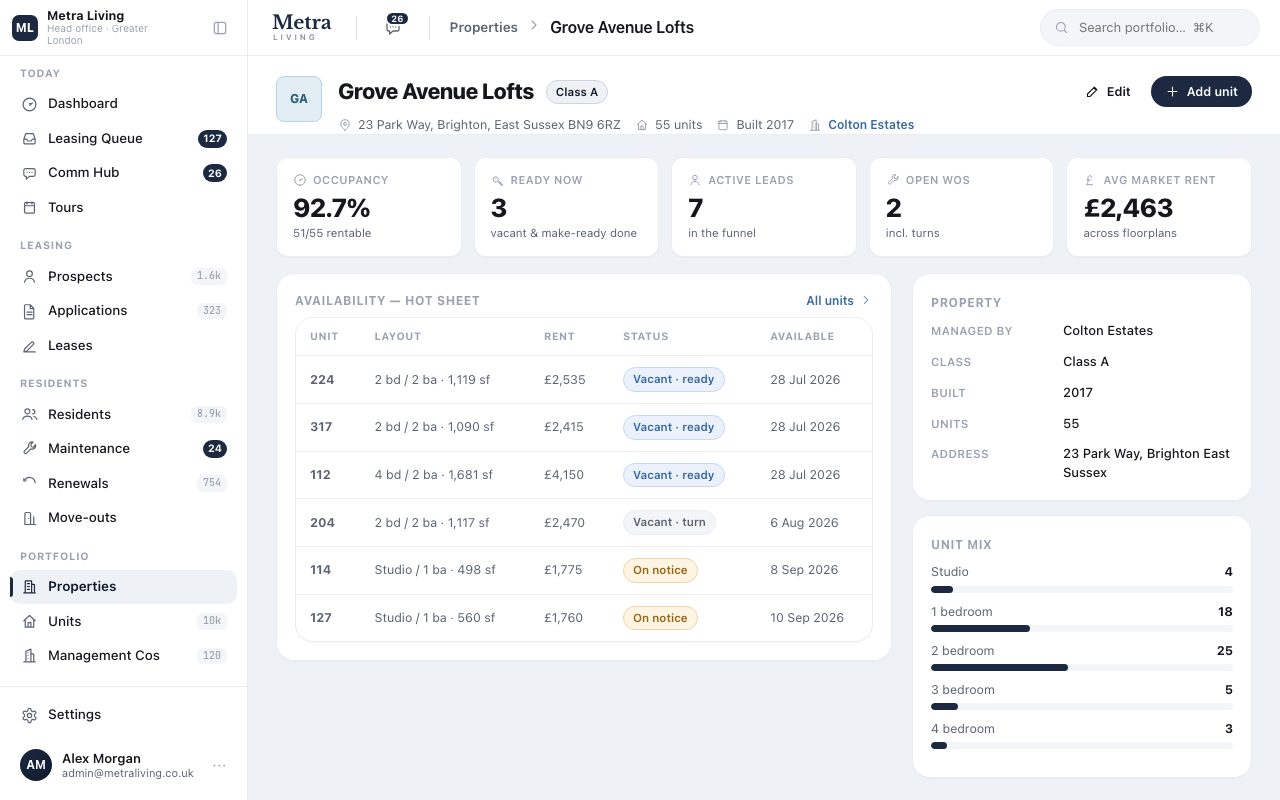
A building's record
Address, operator, unit mix, occupancy and exposure for this building alone — plus every home inside it, one click deep.
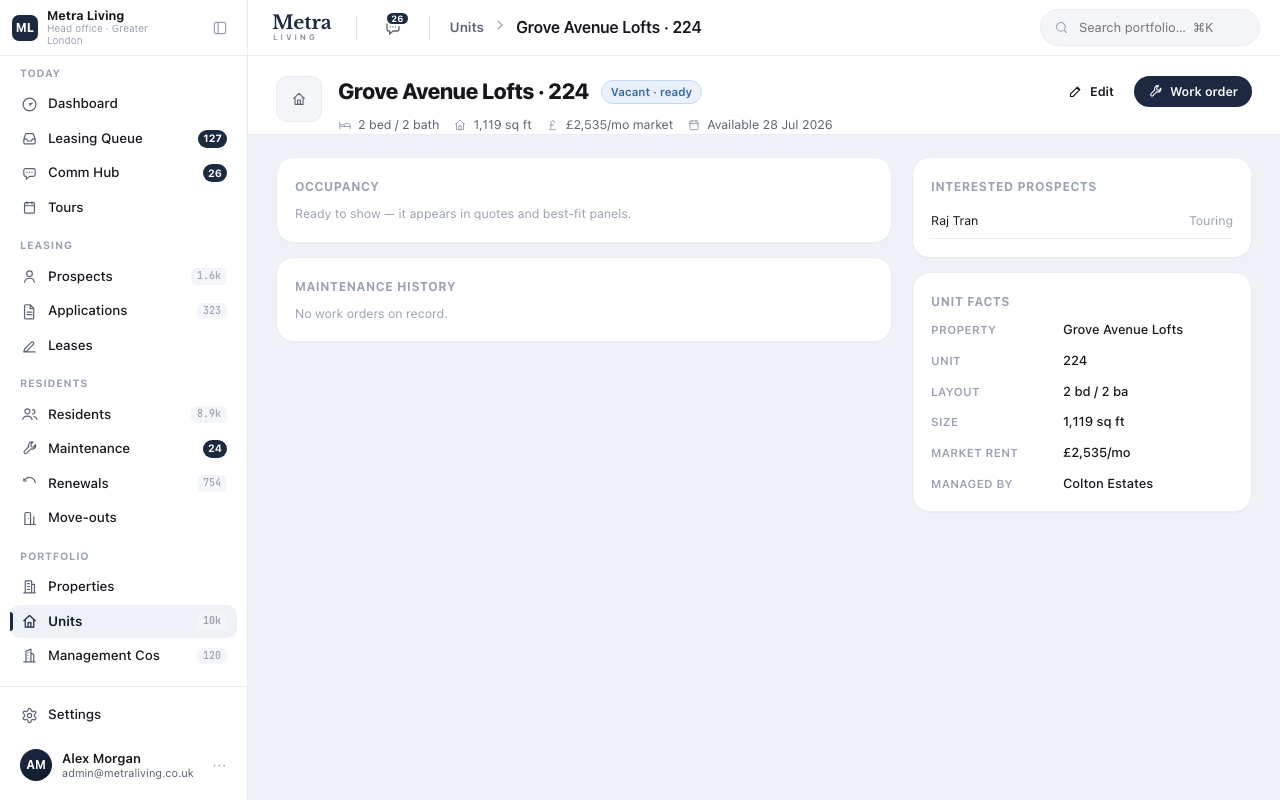
Down to the front door
Each home carries its beds, size, rent, availability and — when occupied — the household living there, linked straight to their record.
Do this yourself — the platform is open.
The same seeded portfolio is live right now. Sign in and run this journey with your own hands — nothing here is a slide.
Managing companies and their fee schedules →
120 operators, each with a scorecard — and the management agreement captured as numbers the platform can compute with.